
Keyword Optimization
Is where the user can add keywords inside the campaigns>>ad groups. Further Newton, also provides features like -
Bulk Upload -
- Add multiple keywords simultaneously by selecting Bulk Upload (.csv).
-
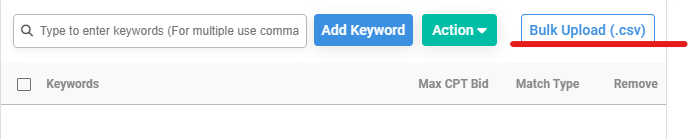
Bulk Upload Button - Upload a CSV file formatted as per the provided template.
- Alternatively, download the pre-formatted template, add keywords, and upload the CSV.
-
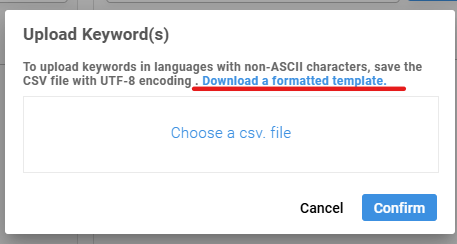
Pre-made Formatted Template for Download
Bulk Action -
- Manage keywords after adding them.
- Select the entire list or specific keywords.
- Click Action, choose the desired action, and apply it.
-
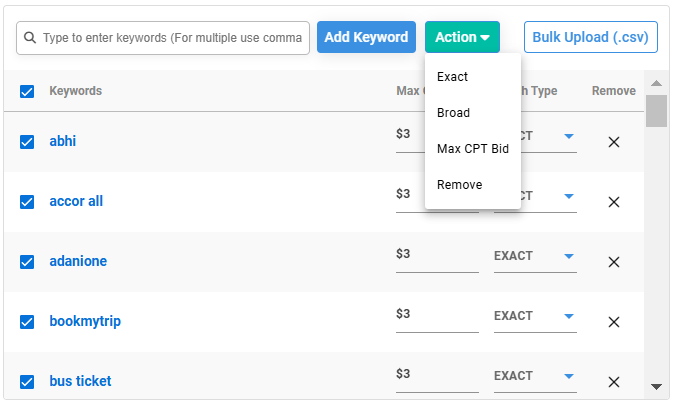
Action Dropdown List
Keyword Recommendation -
- View a list of recommended keywords on the left side.
- Select all or choose specific keywords to add to your keyword list.
-
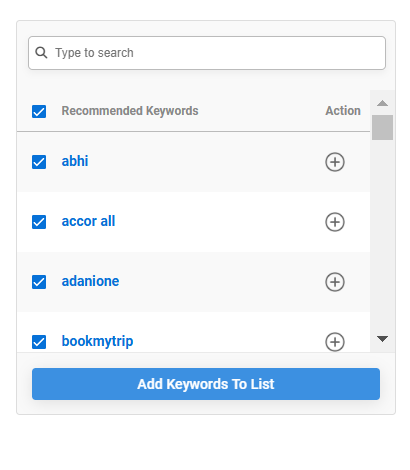
All Keyword Selection Visual
Negative Keywords -
- Add keywords that you want to exclude from targeting.
- When audiences search using these keywords, your ad will not be displayed.
-

Negative Keywords in Keyword Configuration - The process of adding Negative Keywords is same as adding Standard Keywords
Ways to Add Keywords -
Through App Campaign -
- Select the required App.
- Click Add > Add Keyword.
- Choose the Campaign and Ad Group from the list.
-
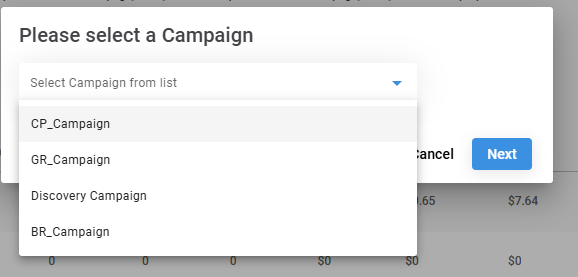
Campaign Dropdown Options -
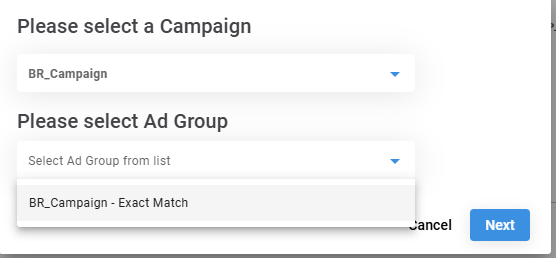
Ad Group Selection Dropdown - Select whether you want to add Standard or Negative Keywords

- Upload keywords via:
- Comma-delimited format or
- Bulk Upload.
- Click on Add Keyword after uploading
-
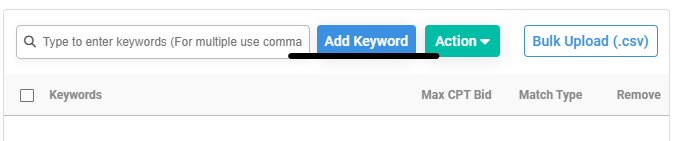
Result Button - Adjust bids and change match types for all or selected keywords.
-
Action Dropdown - Lastly, Click Add Keyword at the bottom right.

Through Keyword Page:
- Navigate to the Keyword Page from the top menu.
- Select Standard Keywords.
- Choose the Campaign Group from the dropdown.
- Click Add > Add Keyword.
- Select the Campaign and Ad Group.
- Upload keywords using Comma Delimited format or Bulk Upload.
- Click Add Keyword after uploading.
- Modify bid and match type as required.
- Finalize by clicking Add Keyword at the bottom right.
3. When Creating an Ad Group:
- Complete the Ad Group Configuration.
- When clicking Create Ad Group, select With Keywords.
- On the Keyword Configuration Page
- Choose Standard or Negative Keywords.
- Upload keywords using Comma Delimited format or Bulk Upload.
- Click Add Keyword after uploading.
- Adjust bid and match type for selected keywords.
- Click Add Keyword at the bottom right to finalize.