AI-Powered Keyword Generation: Newton’s tool leverages advanced AI technology to provide highly relevant keywords tailored to specific user needs.
Localized Keyword Suggestions: The tool generates keywords based on the selected country and language, ensuring relevance to local audiences.
Campaign-Specific Recommendations: Keywords are further refined based on the campaign selected, optimizing the searchability and targeting for your specific objectives.
Seamless User Experience: The integration of AI allows users to effortlessly access precise, contextually appropriate keywords, enhancing the effectiveness of campaigns.
How to Use AI keyword Generator -
On the top right corner, beside the account selection, user can see a Blue box>> AI Keywords
Click AI Keywords
If not used before it will make the user land on Generate AI Keywords section
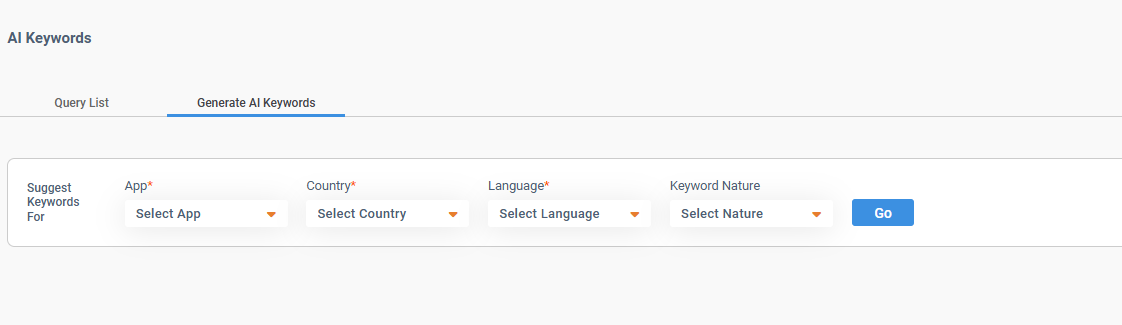
Landing Page of AI Keywords
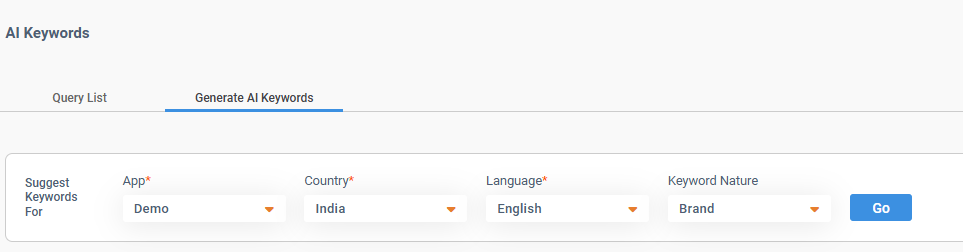
Select the App
Select the Country
Select the Language
Select Keyword Nature/ According the Campaign where the keywords are going to be placed.
Click on Go
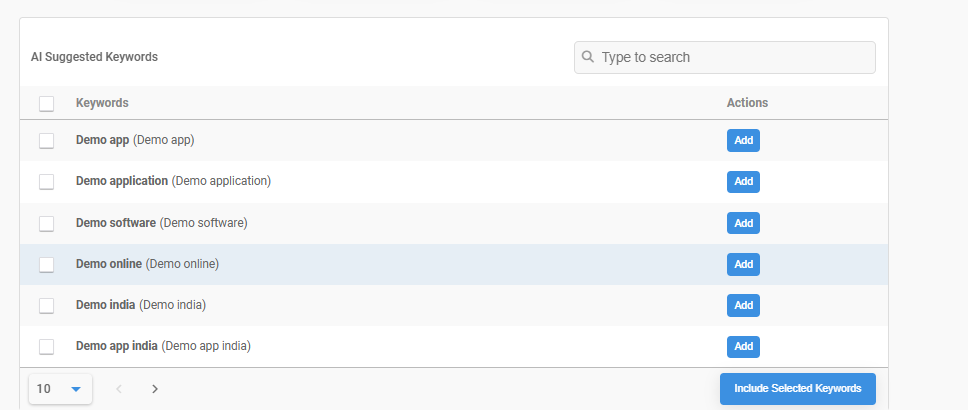
Once Keywords are generated, select the keywords that are required or to be added to the list
Result After Go
Click Include Selected Keywords once required keywords are selected
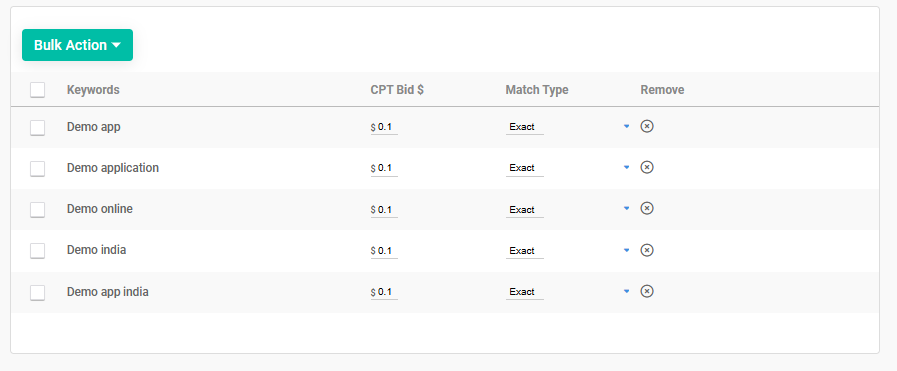
After Selection of Keywords
Now if user want to perform any action such as - Change Bid or Match Type
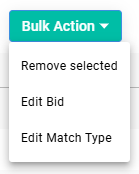
Further, User can also perform Bulk Action -
Remove Selected
Edit Bid
Edit Match Type
Bulk Action Dropdown Visual
Select the Keywords on which action is required to be performed
Finally, Click on Allocate Keywords, which is at the bottom right corner -
User will see a page stating - AI keyword Allocation
After Selecting Allocate Keywords
Select the Campaign/Campaigns keyword is going to be added
Further Select the Ad group
Finally, Click on Save
Did this answer your question?Thanks for the feedbackThere was a problem submitting your feedback. Please try again later.